Google Antigravity Review 2026: Features, Limits, Comparisons & Troubleshooting
Explore Google Antigravity 2.0, its features, pricing, usage limits, comparisons, student access, updates, and solutions to common problems.
Google Antigravity Review 2026: Features, Limits, Comparisons & Troubleshooting
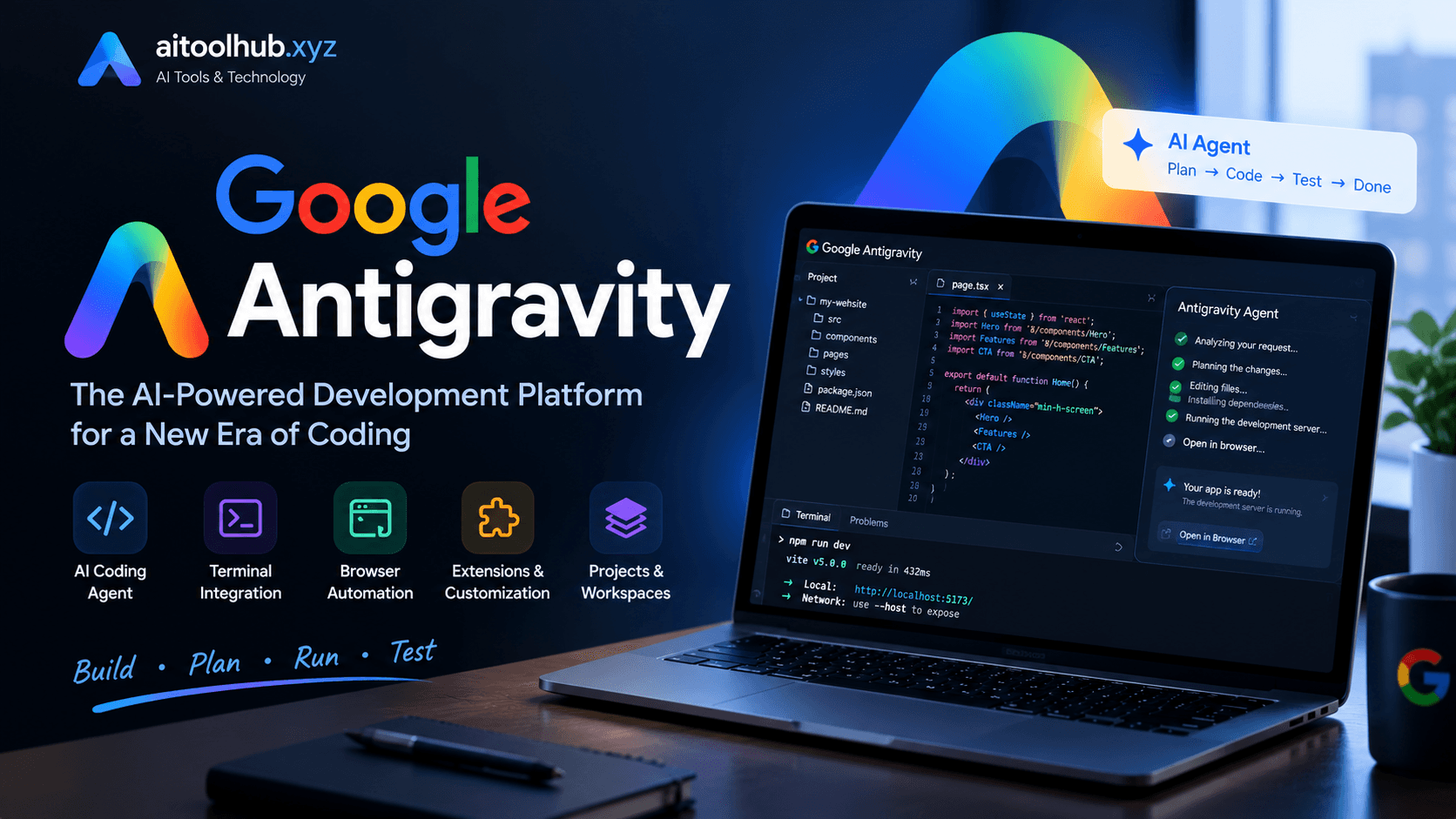
AI coding tools have changed the way people build software. Tasks that once required hours of manual coding can now be completed with help from AI assistants. However, a new generation of tools is moving beyond simple code suggestions. Instead of waiting for instructions line by line, these tools can plan projects, work with files, run commands, inspect results, and complete multi-step development tasks.
Google Antigravity is part of this shift.
Developed by Google, Antigravity is an agentic development platform designed to help developers work with AI agents. Rather than functioning only as a traditional code editor with an AI chatbot, it gives agents access to development workflows where they can understand a project, make changes, execute tasks, and present their work for review.
The platform has also evolved beyond its original IDE experience. Google now provides multiple Antigravity surfaces, including a standalone desktop application, command-line interface, editor integrations, and a programmatic SDK.
But is Google Antigravity worth using in 2026? How does Antigravity 2.0 work? Is it free? What are its usage limits? And how does it compare with Cursor and Claude Code?
This guide answers those questions, explains how to get started, and covers common problems users may encounter.
What Is Google Antigravity?
Google Antigravity is an AI-powered agentic development platform from Google. It is designed to help developers delegate software development tasks to AI agents instead of relying exclusively on manual coding.
Traditional AI coding assistants usually respond to a specific question or suggest code inside an editor. Antigravity takes a broader approach. An agent can inspect a project, understand its structure, plan a task, edit files, use development tools, and check whether its changes work.
For example, imagine you want to create a small business website. You could ask an Antigravity agent to build a homepage, add a navigation menu, create a contact form, and make the layout responsive.
Instead of asking you to write every component separately, the agent can break the request into smaller tasks and work through them.
The developer remains responsible for reviewing the output. AI-generated code can contain bugs, security problems, or incorrect assumptions, so the agent's work should never be accepted without checking it.
One important distinction is that Google Antigravity is not just one interface. Its ecosystem includes several ways to interact with agents:
Antigravity App: A standalone desktop environment for managing and coordinating AI agents.
Antigravity CLI: A terminal-based interface for developers who prefer working from the command line.
IDE Extensions: Agent functionality integrated into supported development environments.
Antigravity SDK: A programmatic way to work with Antigravity capabilities.
This flexibility makes the platform relevant to different types of developers, from people who prefer visual interfaces to those who work primarily in terminals.
How Does Google Antigravity Work?
Antigravity follows an agent-based development workflow.
You provide a task in natural language. The agent then examines the available project context, determines what needs to be done, and uses the available tools to complete the requested work.
A typical workflow looks like this:
Understand the request: The agent interprets what you want to build or change.
Inspect the project: It examines relevant files, folders, and existing code.
Create a plan: It identifies the steps needed to complete the task.
Make changes: It edits files and performs development operations.
Verify the result: Depending on the available tools and permissions, it can run commands and inspect the output.
Present the work: You review the changes and decide whether they meet your requirements.
The biggest advantage is the ability to delegate connected tasks.
For example, if you ask an agent to fix a broken login page, the work may involve identifying the relevant component, checking its styling, inspecting the authentication logic, and testing the result. These are related steps that would otherwise require you to move between files and tools manually.
However, an agent is not guaranteed to understand every project correctly. Clear instructions, appropriate permissions, and human review remain important.
Google Antigravity 2.0: What's New?
Google Antigravity 2.0 represents a major step in the platform's development.
Google introduced Antigravity 2.0 as a standalone desktop application on May 19, 2026. Unlike the original IDE-focused experience, this application is designed around an agent-first workflow.
The idea is simple: developers should be able to manage AI agents as independent workers rather than treating AI as an additional feature inside a code editor.
Some of the important capabilities include:
1. Standalone Desktop Application
Antigravity 2.0 provides a dedicated desktop environment for interacting with AI agents.
This gives users a central place to start tasks, follow agent activity, review results, and manage development work without depending on a single IDE interface.
2. Asynchronous Agent Workflows
One useful feature is the ability to work with agents asynchronously.
You can assign a task and allow the agent to continue working while you focus on something else. You can return later to inspect its progress and review the results.
This approach is particularly useful for larger tasks that involve multiple files or several development steps.
3. Dynamic Subagents
Complex projects can require different types of work.
For example, one task may involve researching a problem, another may involve implementing a feature, and a third may involve checking the result.
Subagents can help divide work into smaller tasks. The main agent can coordinate the process while individual agents handle specific responsibilities.
This does not mean every task automatically becomes faster. Coordination, context sharing, and verification still matter.
4. Scheduled Tasks
Antigravity supports scheduled workflows that allow certain tasks to be performed at planned times.
This can be useful for repetitive development activities, recurring checks, or workflows that do not need to be started manually every time.
5. Plan Review
Planning is an important part of agentic development.
Antigravity's plan-review workflow allows developers to inspect an agent's proposed approach before it makes changes. This is useful when a request could affect several parts of an existing project.
Reviewing the plan first can reduce unnecessary changes and help keep the work aligned with the original requirements.
6. Multiple Development Interfaces
Antigravity is no longer limited to one desktop experience.
Developers can use its application, CLI, supported editor integrations, or SDK depending on their preferred workflow.
For developers who want more details, Google's official Antigravity 2.0 announcement explains the product's direction and major changes.
Main Features of Google Antigravity
The platform's value comes from how its features work together. Here are some capabilities worth understanding before choosing it for daily development.
AI-Powered Coding
Antigravity agents can help write new code, modify existing files, and work through development tasks.
You can describe a feature in plain English rather than manually writing every line.
For example:
"Create a responsive pricing page with three plans, a monthly and yearly billing switch, and a mobile-friendly layout."
The agent can inspect the project and work on the relevant files.
You should still review the code for maintainability, accessibility, and correctness.
Project-Level Understanding
An AI agent needs context to make useful changes.
Antigravity can work with project folders and repositories so that agents can inspect relevant files before making changes.
This is more useful than asking a chatbot to generate isolated code without knowing how your application is structured.
Terminal and Development Tools
Software development involves more than editing files. Developers also need to install dependencies, run tests, build applications, and investigate errors.
Antigravity supports development workflows that involve tools such as the terminal.
This can reduce the amount of repetitive manual work, but commands should be reviewed carefully, especially when they modify files, install packages, or interact with external systems.
Browser-Based Verification
When the required browser tools are available, agents can inspect how an application behaves in a browser.
For example, after creating a page, an agent may be able to inspect the layout, identify visible problems, and make corrections.
This creates a more complete development loop:
Write code → Run the application → Inspect the result → Fix problems.
Model Selection
Antigravity supports different AI models depending on the product surface and subscription plan.
Model availability can change, so users should check the official model documentation rather than assuming that every model is available on every plan.
The model selection page also explains the available reasoning levels and plan restrictions.
Agent Management
Antigravity is designed to support workflows where developers can manage more than one agent.
This can be helpful when working on separate tasks, but it is important to define responsibilities clearly. Multiple agents working on overlapping files can create conflicts or inconsistent changes.
How to Download and Install Google Antigravity
Getting started depends on which Antigravity interface you want to use.
For the desktop application, follow these steps.
Step 1: Visit the Official Website
Open the official Antigravity website:
Use Google's official download page to find the installer for your operating system.
Avoid downloading installers from unofficial third-party websites.
Step 2: Choose Your Operating System
Google provides installation options for supported platforms, including:
Windows
macOS
Linux
The exact system requirements depend on the version and platform. Check the download documentation before installing.
Step 3: Download and Install
Download the appropriate installer and follow the installation instructions.
If you are upgrading an existing installation and the installer asks whether to keep both versions or replace the existing one, follow Google's upgrade instructions. For the documented upgrade flow, selecting Replace is recommended.
Step 4: Launch Antigravity
Open the application and complete the initial setup.
You may need to sign in with an eligible Google account and complete any required permissions.
Step 5: Create or Open a Project
Choose a project folder or create a new project.
Antigravity agents need access to the relevant workspace to inspect and modify project files.
Only grant access to folders you trust.
Step 6: Give Your First Instruction
Start with a small task so you can understand how the agent works.
For example:
"Inspect this project and explain its folder structure. Do not change any files yet."
Once you understand the agent's behavior, you can ask it to make a small improvement and review the changes.
Starting with a simple task is safer than immediately delegating an entire application.
Google Antigravity Limits: What Should You Know?
One of the most common questions users ask is about antigravity.google limits.
Although Google offers a free plan, free access does not mean unlimited access to every AI model or unlimited agent activity.
Antigravity's usage limits depend on the subscription plan, selected model, and the amount of work performed by the agent.
Free Plan
The individual free plan starts at $0 per month.
Google lists several baseline benefits:
Access to a variety of agent models, subject to availability.
Unlimited Tab completions.
Unlimited Command requests.
Basic weekly rate limits.
The important detail is that agent usage is still subject to rate limits.
A simple task may consume less quota than a complex task involving multiple files, repeated tool calls, or extensive reasoning.
Google AI Pro
Google AI Pro provides higher usage limits than the baseline individual plan.
Depending on the current plan terms, users can also access a flexible AI credit pool for additional usage.
This option may be useful for developers who regularly rely on agents for longer development sessions.
Google AI Ultra
Google AI Ultra provides the highest usage allowances among the individual subscription options described in Google's plan documentation.
It is intended for people who use AI agents frequently and need more access to supported models and workflows.
Why Do Antigravity Limits Change?
Agentic development consumes resources differently from ordinary autocomplete.
A simple code suggestion may require very little processing. A complex request could involve reading many files, planning changes, executing commands, inspecting results, and repeating the process.
This is why a single fixed number of prompts does not accurately describe how much work every user can perform.
Google also states that rate limits may change to maintain service stability.
You can check the latest information here:
https://www.antigravity.google/docs/plans
How to Update Google Antigravity
Keeping Antigravity updated is important because new versions may include improvements, bug fixes, and changes to agent workflows.
The update process depends on the version and interface you are using.
Updating the Desktop Application
Open Google Antigravity.
Check whether an update notification is available.
Follow the application's update instructions.
If prompted to replace the existing installation, follow Google's recommended upgrade process.
Restart the application if necessary.
Check the version after updating.
If the application does not offer an update, visit the official download page and check whether a newer version is available for your operating system.
Updating Antigravity CLI
The CLI has its own installation and update process.
Google's documentation describes a native self-updater for the CLI. If an update fails, the problem may involve a locked updater process or insufficient directory permissions.
Do not delete random application files to force an update.
Instead, follow the official CLI troubleshooting instructions.
Check the Changelog
Before updating, it can be useful to review the release history.
Google's changelog provides information about new features, improvements, and bug fixes.
Official changelog:
https://antigravity.google/changelog
Google Antigravity vs Claude Code
Both Google Antigravity and Claude Code are designed to help developers work with AI agents, but their development experiences are different.
Antigravity provides a broader ecosystem of desktop, terminal, IDE, and SDK interfaces.
Claude Code is an agentic coding tool from Anthropic that focuses heavily on working with codebases through terminal, IDE, and other supported interfaces.
Key Differences
| Feature | Google Antigravity | Claude Code |
| Developer | Anthropic | |
| Main approach | Agentic development platform | Agentic coding assistant |
| Desktop experience | Standalone Antigravity App | Supported integrations and interfaces |
| Terminal workflow | CLI available | Strong terminal workflow |
| Model ecosystem | Google and supported partner models | Anthropic models and supported integrations |
| Project work | Yes | Yes |
| Agent-based tasks | Yes | Yes |
When Should You Choose Google Antigravity?
Antigravity may be a good choice if you want:
A dedicated desktop environment for managing agents.
Access to Google's development ecosystem.
Different ways to interact with agents.
A workflow that combines project inspection, planning, and implementation.
When Should You Choose Claude Code?
Claude Code may be more suitable if you prefer:
A terminal-oriented coding workflow.
Working directly inside an existing development environment.
Anthropic's supported models and coding experience.
A tool that fits naturally into command-line development habits.
Neither tool is automatically better for every developer.
The right choice depends on your preferred workflow, the models available to you, the complexity of your projects, and the amount of control you want over agent operations.
Official websites:
Google Antigravity vs Cursor
Cursor is an AI-powered code editor designed to help developers write, understand, and modify code.
Antigravity and Cursor overlap in several areas, but their product experiences are not identical.
Cursor places a strong emphasis on AI-assisted editing inside a familiar editor workflow.
Antigravity focuses on agentic development across multiple interfaces, including its standalone desktop application and CLI.
Feature Comparison
| Feature | Google Antigravity | Cursor |
| Main experience | Agent-first platform | AI-powered code editor |
| Code editing | Yes | Yes |
| AI agents | Yes | Yes |
| Project understanding | Yes | Yes |
| Desktop application | Dedicated Antigravity App | Cursor editor |
| Terminal workflows | CLI and tool integrations | Integrated terminal |
| Model options | Plan-dependent Google and partner models | Plan-dependent model options |
Which Is Better for Beginners?
Cursor may feel more familiar to someone who already uses a modern code editor.
Antigravity may appeal to beginners who want to describe larger tasks and explore an agent-managed development workflow.
However, beginners should understand basic programming concepts before relying heavily on either tool.
AI can generate code, but it cannot guarantee that the code is secure, efficient, or correct.
Which Is Better for Professional Developers?
Professional developers should evaluate both tools using their actual projects.
Consider:
How accurately the tool understands an existing codebase.
How well it handles multi-file changes.
Whether it fits the team's development process.
How easily developers can review generated code.
Subscription costs and model usage limits.
A short practical trial is usually more useful than choosing a tool based only on feature lists.
Official website: Cursor
Google AI Studio vs Antigravity
Google AI Studio and Google Antigravity are both associated with Google's AI ecosystem, but they solve different problems.
Google AI Studio is primarily a platform for experimenting with Google's generative AI models and building applications with the Gemini API.
Antigravity is a development platform designed around AI agents that can work with software projects.
Main Differences
| Feature | Google AI Studio | Google Antigravity |
| Primary purpose | Experimenting with generative AI | Agentic software development |
| Main users | AI developers and experimenters | Software developers |
| Model interaction | Direct model experimentation | Agents use supported models |
| Codebase workflows | Application and API development | Project-level agent workflows |
| Main focus | Generative AI development | AI-assisted software engineering |
When Should You Use Google AI Studio?
Google AI Studio is useful when you want to:
Experiment with Gemini models.
Test prompts and model responses.
Prototype generative AI applications.
Explore API-based development.
When Should You Use Antigravity?
Antigravity is more appropriate when you want an AI agent to help with an existing software project, modify files, run development tasks, and work through a broader coding workflow.
These tools are not direct replacements for each other.
A developer could use Google AI Studio to experiment with a Gemini-powered application and Antigravity to help build the application's codebase.
Official website: Google AI Studio
Google Antigravity Agent Is Stuck: How to Fix It
An agent that appears stuck can be frustrating, especially when it is working on an important development task.
However, not every long-running task is necessarily frozen.
An agent may be processing a complex request, waiting for a tool operation, or experiencing a connection or initialization problem.
If your Google Antigravity agent is stuck, try these steps.
1. Check the Agent's Current State
Look at the agent's status and conversation.
Determine whether it is:
Still processing.
Waiting for your approval.
Running a tool.
Waiting for a response.
Showing an error.
This helps distinguish a slow task from an actual failure.
2. Give It More Time
Large tasks can require multiple operations.
If the agent is still making progress, interrupting it immediately may waste work.
Give it a reasonable amount of time before taking further action.
3. Stop and Restart the Task
If the agent has clearly stopped responding, cancel the current operation if the interface allows it.
Then provide a smaller, more specific instruction.
For example, instead of asking it to rebuild an entire application, ask it to inspect one component and explain the problem first.
4. Check Your Internet Connection
Antigravity relies on online services and AI model access.
A weak or unstable connection may interrupt communication between the application and its backend services.
Try another stable network if connection problems continue.
5. Switch the Selected Model
If the agent remains stuck during initialization, switching to another available model may help.
This is also a troubleshooting step suggested in a Google AI Developers Forum discussion about an Agent Manager loading issue.
6. Restart Antigravity
Close the application completely and launch it again.
If the problem continues, check for updates and review the official troubleshooting documentation.
Avoid repeatedly submitting the same complex task without understanding why the previous attempt failed.
Google Antigravity Not Working: Common Problems and Solutions
There are several reasons why Antigravity may not work as expected.
Here are some common situations and what you can do.
Problem 1: Application Does Not Open
Possible causes include:
An incomplete installation.
An incompatible operating system.
Corrupted local application data.
A problem with the installed version.
What to do:
Check the system requirements, restart your computer, and install the latest official version if necessary.
Problem 2: Agent Cannot Connect
This may happen because of network problems, service availability, or account authentication issues.
What to do:
Check your internet connection, verify your Google account, and try again later if the service appears temporarily unavailable.
Problem 3: Agent Cannot Access Project Files
An agent needs the appropriate workspace access to inspect and modify files.
What to do:
Make sure the correct project folder is open and that the application has the necessary permissions.
Do not give an agent unrestricted access to sensitive folders unnecessarily.
Problem 4: Commands Fail
Terminal commands may fail because of missing dependencies, incorrect paths, or environment configuration.
What to do:
Read the exact error message, check whether the required software is installed, and ask the agent to explain the error before requesting another attempt.
Problem 5: Updates Fail
Update problems may involve locked processes or insufficient write permissions.
For CLI users, Google's troubleshooting documentation explains updater lock issues and directory permissions.
Avoid applying CLI-specific repair commands to the desktop application unless Google documents that procedure for your version.
Problem 6: Usage Limit Reached
If you have reached your available quota, the agent may become unavailable for certain models or tasks until your quota refreshes.
What to do:
Check your usage settings, wait for the relevant quota refresh, or review the available subscription and AI credit options.
For more detailed troubleshooting, use Google's official documentation:
https://antigravity.google/docs/cli-troubleshooting
Is Google Antigravity Free for Students?
Many students are interested in AI coding tools because they want to learn programming, build projects, and experiment with modern development workflows without paying for expensive software.
So, is Google Antigravity free for students?
The important distinction is between Antigravity's individual free plan and Google's separate student offers.
Google lists a free individual Antigravity plan at $0 per month. This means eligible individual users can access Antigravity without purchasing a paid subscription, subject to its usage limits and account requirements.
However, a free individual plan is not the same as a dedicated student subscription.
Google may offer separate student promotions or Google AI Pro benefits in eligible countries and for qualifying accounts. These offers can have different eligibility requirements, verification processes, and expiration dates.
Students should check the current official offer terms before assuming that they qualify.
What Should Students Check?
Before signing up for a student offer, verify:
Whether the offer is available in your country.
Whether a qualifying educational institution is required.
Whether student verification is necessary.
How long the promotional access lasts.
Whether Antigravity usage is included in the specific subscription.
Students who do not qualify for a promotional offer can still investigate the standard free Antigravity plan.
Do not assume that a Google AI Pro student promotion automatically provides unlimited Antigravity usage.
Google Antigravity Easter Egg: Is There a Hidden Feature?
The phrase Google Antigravity Easter Egg may lead users to search for hidden animations, secret commands, or unusual interface features.
However, it is important to separate confirmed product features from unrelated Google experiments.
Google has previously been associated with playful search experiments and browser-based Easter eggs. Those experiments do not automatically belong to the Antigravity development platform.
At the time of writing, I could not verify a dedicated official Google Antigravity Easter Egg that should be presented as a confirmed product feature.
If you find a hidden interaction or unusual behavior, check whether it is documented by Google or reproduced reliably before treating it as an official Easter egg.
For developers, the more useful features to explore are Antigravity's agent workflows, customizations, model selection, and available developer tools.
Who Should Use Google Antigravity?
Antigravity can be useful for different types of developers, but its value depends on how they work.
Beginners
Beginners can use Antigravity to understand project structures, generate basic code, and learn how different components work together.
However, they should not treat AI-generated code as a replacement for learning programming fundamentals.
Students
Students can explore AI-assisted development, build practice projects, and understand how agents approach software engineering tasks.
The free individual plan may be a useful starting point.
Freelancers
Freelancers may benefit from delegating repetitive coding tasks and using agents to explore unfamiliar codebases.
However, client work requires careful testing, privacy protection, and code review.
Professional Developers
Experienced developers can use Antigravity for multi-step implementation, debugging assistance, project exploration, and other development workflows.
The ability to review plans and agent output can be particularly useful when working on established codebases.
Development Teams
Teams may find agentic workflows useful for coordinating repetitive engineering tasks.
Before using the platform in production environments, teams should review Google's enterprise security, access, and data-handling terms.
Advantages and Disadvantages of Google Antigravity
No AI development tool is perfect. Understanding the benefits and limitations will help you decide whether Antigravity fits your workflow.
Pros
Agent-based development goes beyond simple code completion.
Multiple interfaces support different developer workflows.
Project-level context helps agents work with existing codebases.
Supports multi-step development tasks.
Provides free individual access with usage limits.
Google continues to develop the platform and publish release updates.
Plan-review and agent-management features can improve workflow control.
Cons
Free usage is subject to rate limits.
Complex tasks can consume more resources.
AI-generated code still requires human review.
Agent behavior may be inconsistent across different tasks.
Some models and features depend on the subscription plan.
Beginners may find autonomous development workflows difficult to control initially.
Is Google Antigravity Worth Using in 2026?
Google Antigravity is worth exploring if you want to move beyond traditional AI code completion and experiment with agent-based software development.
Its biggest strength is the broader workflow. Agents can work with projects, plan tasks, use development tools, and help complete multi-step coding activities.
The standalone Antigravity App also gives the platform a different direction from tools that focus primarily on editing code inside a conventional editor.
However, Antigravity is not a replacement for programming knowledge, testing, or developer judgment.
You still need to understand the changes being made, review generated code, and protect your project from incorrect or unsafe operations.
For beginners, the free individual plan offers a practical way to explore the platform. For developers who use agents regularly, comparing the available subscription plans and usage limits is important.
If you already use Cursor or Claude Code, there is no need to switch immediately. Try Antigravity on a small project and compare the quality of its output, workflow, and reliability.
Ultimately, the best coding tool is the one that helps you produce reliable software while fitting your development habits.
Frequently Asked Questions
1. Is Google Antigravity free?
Yes. Google lists an individual plan starting at $0 per month. It includes access to various agent models, unlimited Tab completions, unlimited Command requests, and basic weekly rate limits.
2. What is Google Antigravity 2.0?
Antigravity 2.0 is Google's standalone desktop application for agentic development. It focuses on managing AI agents and supporting synchronous and asynchronous development workflows.
3. What are antigravity.google limits?
Antigravity usage limits depend on the subscription plan, selected model, and workload. The free individual plan has basic weekly rate limits, while paid plans offer higher usage allowances.
4. How do I update Google Antigravity?
Check the application's update notification or visit the official download page. Follow Google's upgrade instructions for your operating system and installed version.
5. Why is my Google Antigravity agent stuck?
Possible causes include initialization problems, network issues, long-running tasks, or tool failures. Check the agent's status, try switching models, restart the application, and simplify the task if necessary.
6. Is Google Antigravity better than Cursor?
Neither is universally better. Antigravity emphasizes agentic development across multiple interfaces, while Cursor focuses on AI-assisted editing within a dedicated code editor.
7. Is Google Antigravity better than Claude Code?
It depends on your workflow. Antigravity offers a broader agent-oriented platform, while Claude Code provides a strong terminal-focused coding experience.
8. Can students use Google Antigravity for free?
Students can investigate the standard free individual plan. Separate student promotions may be available under Google's eligibility and regional requirements, but they should not be confused with a dedicated Antigravity student plan.
9. Does Google Antigravity support multiple AI models?
Yes. Antigravity provides access to multiple models, but the available options depend on the interface and subscription plan.
10. Can Google Antigravity build a complete website?
It can help create website components, modify project files, and work through multi-step development tasks. However, developers should review the code, test the application, and handle deployment and security carefully.
11. Can beginners use Google Antigravity?
Yes. Beginners can use it to explore coding and build simple projects. Learning basic programming concepts is still important for understanding and reviewing the generated code.
12. Is Google Antigravity available on Windows, macOS, and Linux?
Google's official download documentation lists supported desktop installers for Windows, macOS, and Linux. Check the current system requirements before installing.
Final Verdict
Google Antigravity is an interesting development in the evolution of AI coding tools.
Instead of limiting AI to code suggestions, it gives developers a way to delegate larger tasks to agents and review their work through different development interfaces.
Antigravity 2.0 makes this direction more visible with its standalone desktop experience and agent-focused workflow.
Its free individual plan makes it accessible to people who want to experiment, although usage limits remain an important consideration.
It is not perfect, and it does not remove the need for technical knowledge. But for developers interested in AI-assisted software engineering, Antigravity is a platform worth exploring.
Our verdict: Google Antigravity is a promising agentic development platform for developers who want more than traditional AI autocomplete. Its value is strongest when users provide clear instructions, review agent plans, and carefully verify the resulting code.
Sources & References
The following official and supporting resources were used to verify product information and provide further reading.
Information checked against available documentation on October 30, 2026. Pricing, model availability, usage limits, and promotional eligibility can change. Always check the linked official pages for the latest terms.